
Updating the Amalgam Plug-In for Excel
Microsoft has required us to get a new plug-in within the Excel ecosystem. But don’t worry, it’s easy to update and once you do, you’ll be seeing improved performance in the platform.
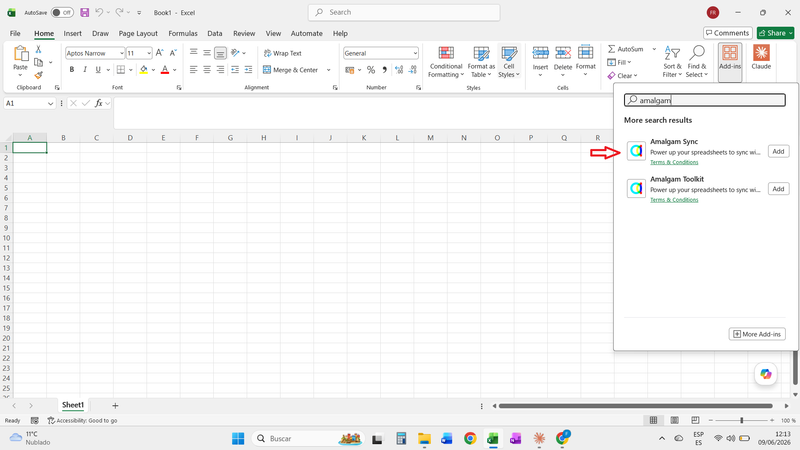
Next time you go to use Amalgam, do the following (screenshot below for your reference):
- Within Excel, navigate to the Add-ins icon from the Home banner
- In that search window, type “Amalgam”
- Select the “Amalgam Sync” option
- Clear the old version of the Amalgam plug-in and use Amalgam Sync going forward
- Enjoy improved performance with Amalgam
This update will ensure you’re up to date with all the future Amalgam enhancements and will not impact your existing templates and workflows in any way. It is a seamless transition.