How Do I Install the Excel Plugin?
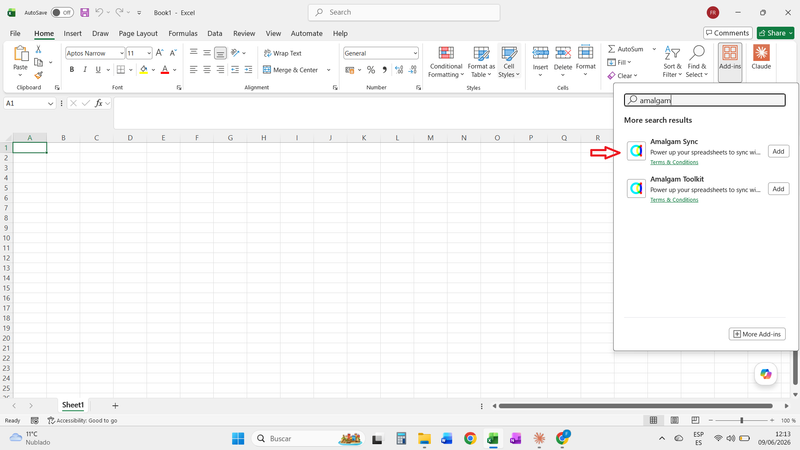
Open any Excel workbook, blank or otherwise. On the Home ribbon, click Add-ins.

The button’s location varies by Excel version. In some versions it sits under Insert or Developer. If you cannot find it, use the search box at the top of Excel and search for “Add-ins”.

In the window that opens, search the store for Amalgam Sync and click Add on the result.

Click Continue to accept the license terms and privacy policy. The plugin is added to Excel.

To open Amalgam at any time, click the Amalgam button on the Home ribbon. The sidebar opens and asks you to sign in with your Amalgam account.

Already Have the Older Amalgam Add-in?
Section titled “Already Have the Older Amalgam Add-in?”In August 2026 Microsoft required us to publish the Excel add-in under a new listing, Amalgam Sync. If your Add-ins list still shows the original Amalgam add-in, install Amalgam Sync as above and remove the old one. Your existing templates and workflows are not affected.