
How to Connect Amalgam to Microsoft Dynamics 365 Business Central
Connect Dynamics 365 Business Central to Amalgam to pull your general ledger, trial balance, balance sheet and income statement into your spreadsheets, Claude or ChatGPT. Business Central connects by signing in with your Microsoft work account and approving the connection. The Business Central integration is in beta.
What You Need
Section titled “What You Need”- A Microsoft work account that is a licensed Business Central user in the environment you want to connect, with permission to read the general ledger.
- Depending on how your IT team has set up Microsoft Entra, an administrator may need to approve Amalgam once for the whole organization (see Troubleshooting).
- An Amalgam account.
Connect Business Central
Section titled “Connect Business Central”- Log in at app.amalgam.me.
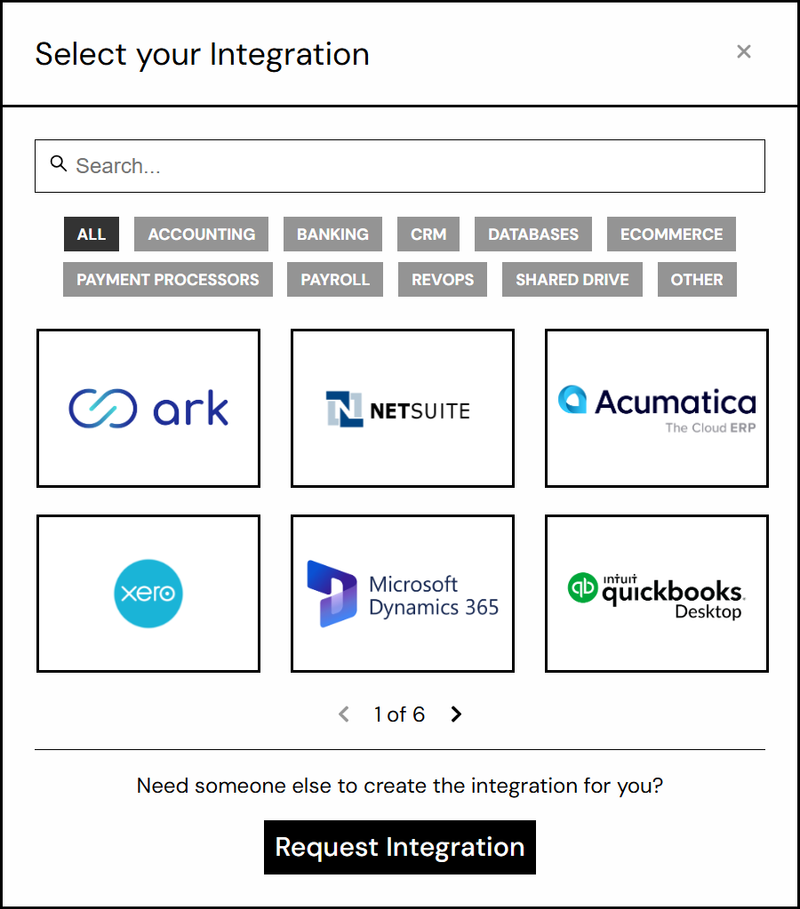
- Click New Integration and choose Microsoft Dynamics 365. You can type “Dynamics” in the search box to find it.
- Amalgam sends you to Microsoft’s sign-in page. Sign in with your work account.
- Review the permissions Amalgam asks for and click Accept. Microsoft sends you back to Amalgam.
- Pick the Business Central environment and company to connect, then finish. Each company is its own integration.

What You Can Pull
Section titled “What You Can Pull”Business Central is a read-only integration. Reports include General Ledger, Trial Balance, Balance Sheet and Income Statement, all in beta. See Reports by Provider.
Troubleshooting
Section titled “Troubleshooting”- “Need admin approval”: your organization does not let users approve apps themselves. Send the request to your Microsoft 365 administrator (a Global Administrator, Cloud Application Administrator or Application Administrator). They sign in once, tick Consent on behalf of your organization, and accept. After that anyone at your company can connect. Microsoft’s guide: Grant tenant-wide admin consent.
- No companies listed: your account is not a licensed user in that environment, or has no permission set for it. Ask your Business Central administrator.
- Removing access from the Microsoft side: in the Microsoft Entra admin center go to Enterprise applications, open Amalgam, then Permissions, and revoke.