
How to Connect Amalgam to Bookkeep
Connect Bookkeep to Amalgam to pull the journal summaries Bookkeep creates for each of your connected apps into your spreadsheets, Claude or ChatGPT. Bookkeep connects with a pair of API keys, a publishable key and a secret key, that you copy from Bookkeep and paste into Amalgam.
What You Need
Section titled “What You Need”- The Bookkeep account owner or admin login.
- An Amalgam account.
Get Your Keys From Bookkeep
Section titled “Get Your Keys From Bookkeep”- Log in to Bookkeep.
- Open the developer dashboard at app.bookkeep.com/developers/api_keys.
- Copy the Publishable Key and the Secret Key.
If you cannot open that page, ask Bookkeep support to enable API access on your account.
Note: the API keys page inside the Bookkeep app for Shopify creates a different kind of key and will not work here.
Bookkeep’s guide: Bookkeep API.
Connect Bookkeep
Section titled “Connect Bookkeep”- Log in at app.amalgam.me.
- Click New Integration and choose Bookkeep. You can type the name in the search box to find it.
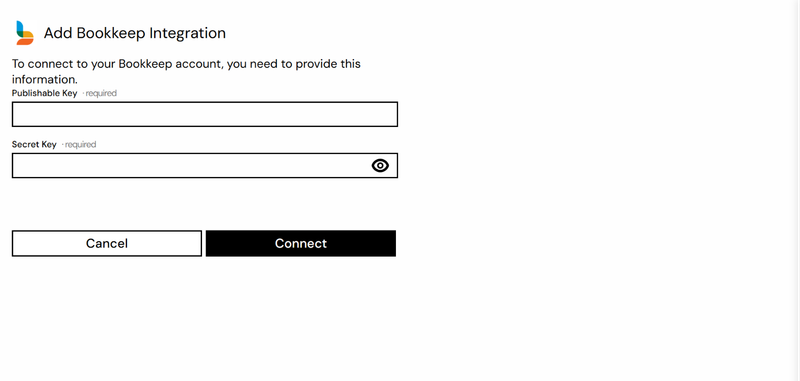
- Paste the Publishable Key and Secret Key and click Connect.

What You Can Pull
Section titled “What You Can Pull”Bookkeep is a read-only integration. The Journal Summary report (beta) lists the journal entries Bookkeep has created for each connected app. See Reports by Provider.